Organise the work. Understand how it gets done.
Boards, sprints and execution metrics in one place, and an AI that answers from your board.
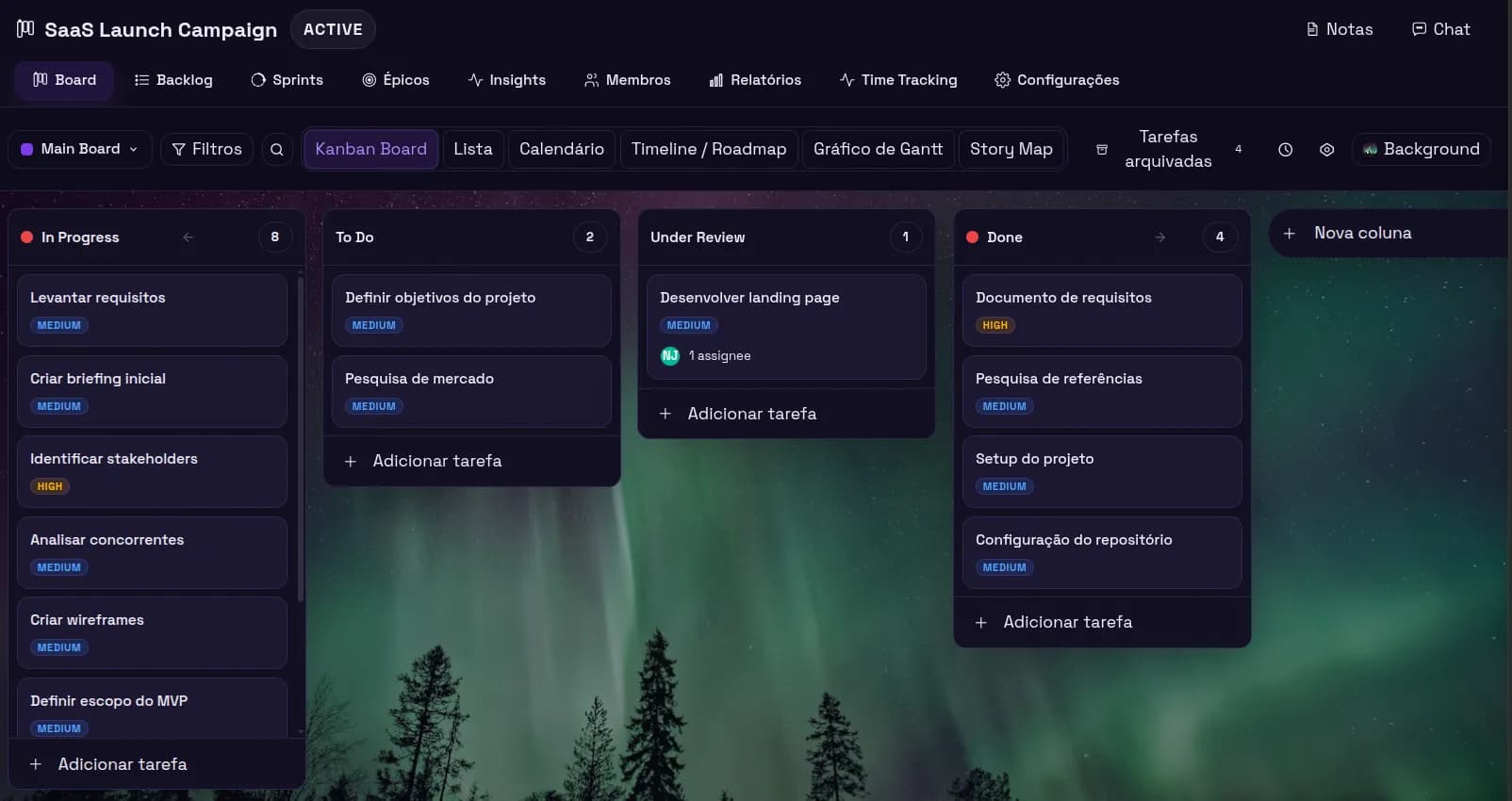
Teams using Organify












The whole workspace, in your pocket.
The Organify app opens on what matters today: your projects, your team and what is moving right now.
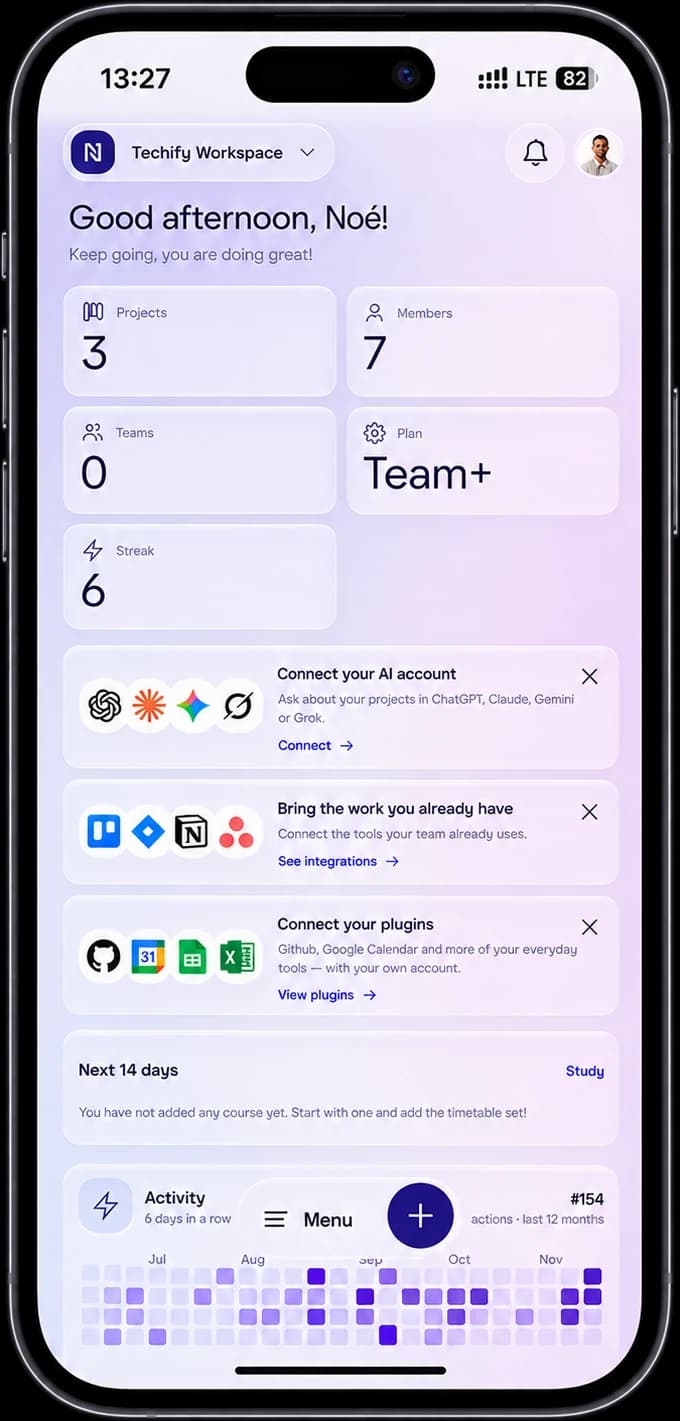
One glance, the whole context
Projects, members, teams and plan sit at the top. You know where you stand before opening a single task.
Your AI inside the app
Connect ChatGPT, Claude, Gemini or Grok and ask about projects, tasks and sprints without leaving the conversation.
The tools you already use
Bring Jira, Trello or Notion, plus GitHub, Google and Excel plugins, with your own account. Nothing to migrate.
A rhythm you can see
Streaks, activity and the next 14 days show how the work is really moving, not only what is late.
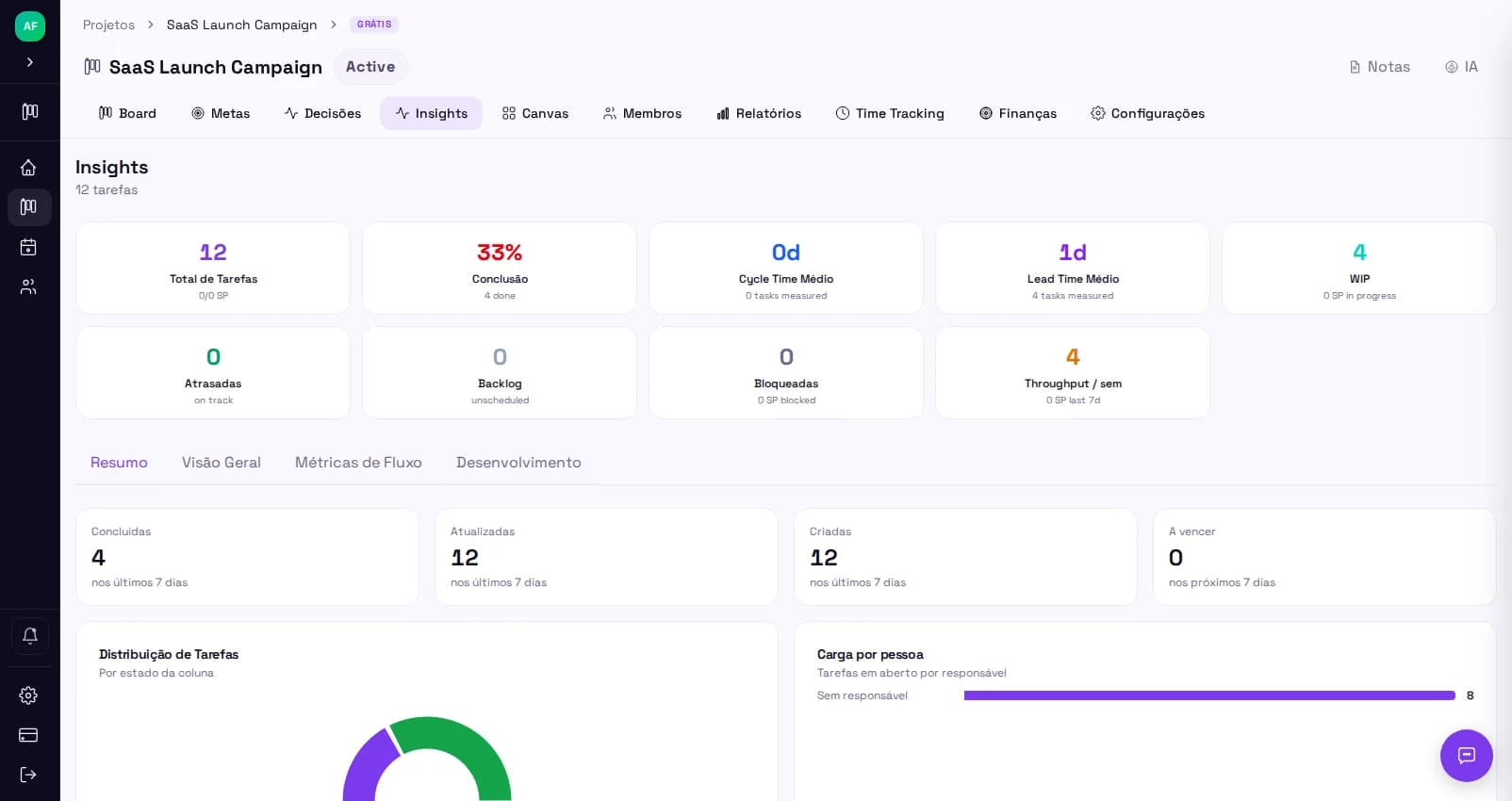
Numbers that explain the week.
The Insights page computes everything from the board. There is nothing to set up.
- Average cycle time and lead time
- Work in progress and weekly throughput
- Project completion percentage
- Each person’s load, in open tasks
See the delay before the meeting.
Overdue and blocked work shows up in Insights. The assistant turns it into a report ready to send.
- Overdue tasks and those due in the next 7 days
- Blocked tasks, kept apart from the rest
- Executive, sprint and capacity reports
- Scheduled reports that arrive on their own
Ask your board.
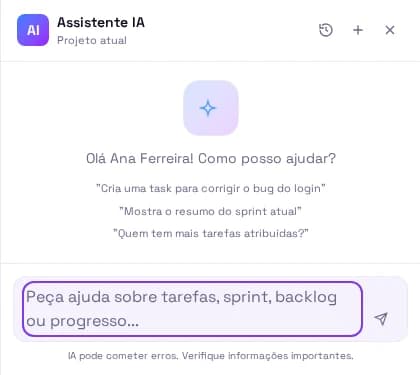
The assistant reads the project you are in (tasks, sprints, backlog and progress), answers, creates tasks and generates reports: executive, sprint, capacity. It can schedule them too.
Try asking
- Create a task to fix the login bug
- Show me the current sprint summary
- Who has the most tasks assigned?
- Generate the executive report for this project
AI can make mistakes. Check important information.
Use Organify from your AI assistant.
Connect your account to ChatGPT, Claude, Gemini or Grok and ask about your projects, tasks and sprints right in the chat. The AI only sees what you can already see.
How to connectIt takes two minutes: copy an address and sign in with your account.
 ChatGPT
 Claude
 Gemini
 Grok
 Cursor
 GitHub Copilot
 Mistral
 Perplexity
Works with what you already use.
Two-way sync with the tools your team already knows.
 Jira
 Trello
 Notion
 Slack
 ClickUp
 Asana
 Monday
 Microsoft Planner
Plug in your tools.
Plugins for everyday work — GitHub, Google Calendar, Keep, Docs, Excel and more, with your own account.
 GitHub
 Google Calendar
 Google Keep
 Google Docs
 Excel
 Excalidraw
 Microsoft To Do
 Google Slides
Simple. Transparent. No surprises.
Clear pricing per workspace. Choose the plan that fits your team and change it whenever you need.
Clear visibility for small teams — projects, tasks and progress in one place.
Start with TeamEverything in Team, plus operational intelligence, metrics and automatic alerts.
Start with Team+For organisations with advanced security, scale and support requirements.
Request a quoteCompare plans
Core
- Active projects
- Unlimited
- Members per workspace
- 25
- Kanban and list views
- Subtasks and dependencies
- 30-day history
Intelligence
- Basic metrics
- Cycle time & rework rate
- Automatic risk alerts
- AI delivery forecast
- Advanced pattern detection
Integrations & API
- Native integrations
- 50
- Webhooks
- REST API
- SSO & SAML
- —
Security & Support
- Encryption at rest
- 2FA / Passkey
- Full audit log
- 99.9% SLA
- —
- Dedicated Customer Success
- —
Everything you need to know.
Still have questions?
Write to us and a person from the team replies, not a bot.
[email protected]Talk to usOpen Organify before your next status meeting.
Then decide whether you need the meeting. 2-minute setup, no card.